
Pappu Game Online
Partner casino · 500% up to ₹1 lakh on deposit one · 18+
Pappu Game online means playing Pappu Playing Pictures in a phone or computer browser: open a casino lobby, find the twelve-picture tile, stake on one or more pictures, and one draw pays ×10 on a match. There is nothing to download. Try a few rounds of the free Pappu Game demo first, or start with real money and 500% on the first deposit.
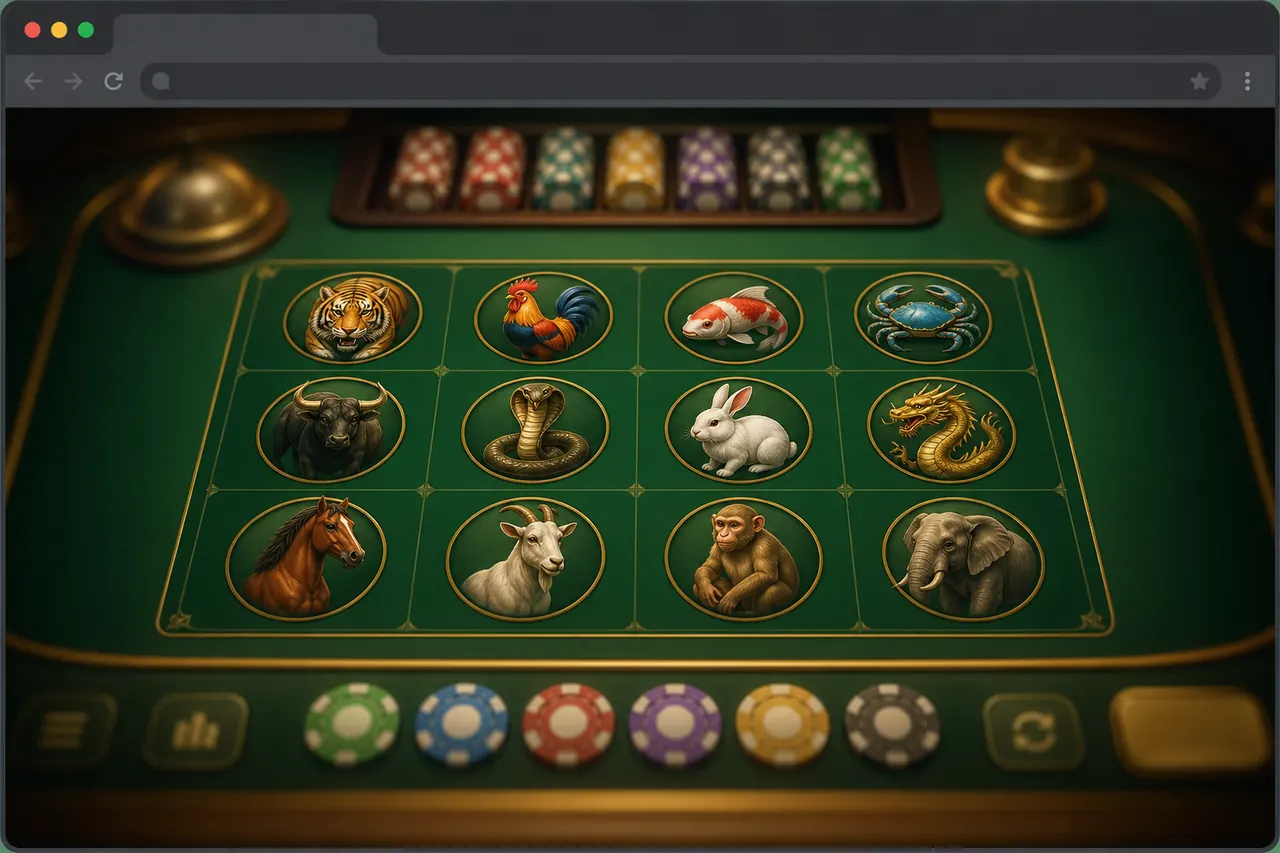
How to play Pappu Game online on your phone
- 1Open a casino lobby in Chrome (Safari on iPhone). The game loads as a web page.
- 2Find Pappu Playing Pictures — the tile with twelve everyday pictures: umbrella, football, sun, diya, cow, bucket, kite, spinning top, rose, butterfly, pigeon, rabbit.
- 3Watch one round without staking. The timer runs, the strip locks, one picture is drawn, the result settles. Ten seconds tells you the table works.
- 4Place a chip on one picture before the timer ends. A match pays ×10 on that stake; a picture with an Extra Pay seal pays the printed seal instead.
- 5Add the lobby to your home screen from the browser menu if you want an app-like icon. No package is installed.
The full rules, buttons and Multiple Mode are on how to play Pappu Game.
A sixty-second check before you stake anything
You can check a browser lobby faster than you can read its bonus terms:
- 1Count the pictures. Twelve, and they are objects, not colours. Green and violet tiles are a different game using the name — Pappu vs colour prediction explains the difference.
- 2Watch one round end. Exactly one picture should settle it. Two winners or a ladder of results means you are not on the picture draw.
- 3Find the stake limits. An honest real-money lobby prints its own minimum and maximum on the strip. A table that hides them is telling you something.
- 4Look for an install prompt. A browser lobby that pushes a package before it shows a single round has the order backwards.
Where the game runs for money and what to check about the platform itself is on where to play Pappu Game.
Phone browser settings that change the table
Four common Android browser settings change how a live table behaves. Check them before blaming the lobby:
- Data saver or lite mode compresses pages through a service. On a table updated every second it shows up as a strip a beat behind the countdown. If the two disagree, try one round with it off.
- Battery saver slows background work, and a live countdown is exactly that. Most "the timer jumped" complaints come from a phone saving power. Keep the screen awake for a session.
- Desktop site sometimes fixes a strip that wraps badly in portrait, and sometimes makes the tap targets too small. Keep it only if the icons got easier to hit.
- Incognito tabs forget the sign-in when closed. Fine for the demo; for a real-money session a closed tab can log you out mid-round.
Leave pop-up blocking on. A table that only runs if you allow pop-ups has told you something about itself.
Playing in portrait without mis-taps
- On a narrow screen the strip may wrap — learn which icons sit lower before the countdown starts.
- Zoom in once to learn what an Extra Pay seal looks like, then zoom out for speed.
- Use Undo after a wrong tap instead of Clear and restaking against the clock.
- Keep Again and Double away from your resting thumb until you mean them.
- Stay on one picture per round until placing a stake feels calm.
If the reveal stalls on a weak connection, wait for the settle before staking again — a frozen screen is not a rigged round. If a lobby breaks mid-reveal again and again, switch lobbies rather than installing a "faster" app.
What playing online does not change
Online is not a higher payout: a match pays ×10 whether you play in a browser or an app, and some lobbies print 97% on marketing cards — that is the lobby's figure, not a promise for your session. Online has nothing to do with satta charts, and it does not need a file such as pappu-fast.apk. To play for money, the steps from deposit to withdrawal are on Pappu Game real money. If you still want an app icon or the store listing, the options are on Pappu Game download, and Android steps on Pappu Game app for Android.
What the first page of results holds
Searching "pappu game online" in India does not return ten lobbies. It returns a catalogue page with almost no site behind it, two hacked institutional sites serving a page dressed up as a store download, a YouTube hashtag feed, an Instagram profile, and a couple of links that open an error. None of them is the game. Judge a result by whether it shows a running picture strip, never by how respectable the address looks.
FAQ
Can I play Pappu Game online for free?
Yes, on the Pappu Game demo with practice credits. Real-money rounds need an account on a lobby.
Do I need the Play Store to play online?
No. The browser runs the table; the store app is a separate route.
Is browser play the real Pappu Game?
If the strip shows twelve pictures and one draw per round, yes.
Can I use Multiple Mode on a phone?
Yes. Start with two pictures — Pappu Multiple Mode shows what wider coverage does to the cost of a round.
Where does Extra Pay show online?
On the strip, as a seal on a picture — the same as in an app. Pappu Extra Pay explains what it pays.
18+. Play for entertainment. Set a limit before your first real-money round.